> ## Documentation Index
> Fetch the complete documentation index at: https://api-docs.jarvi.tech/llms.txt
> Use this file to discover all available pages before exploring further.
# Get my API keys
> Your API keys will allow you to access the API
Go to your preferences, then to API. Click on the button to generate API keys as shown below.
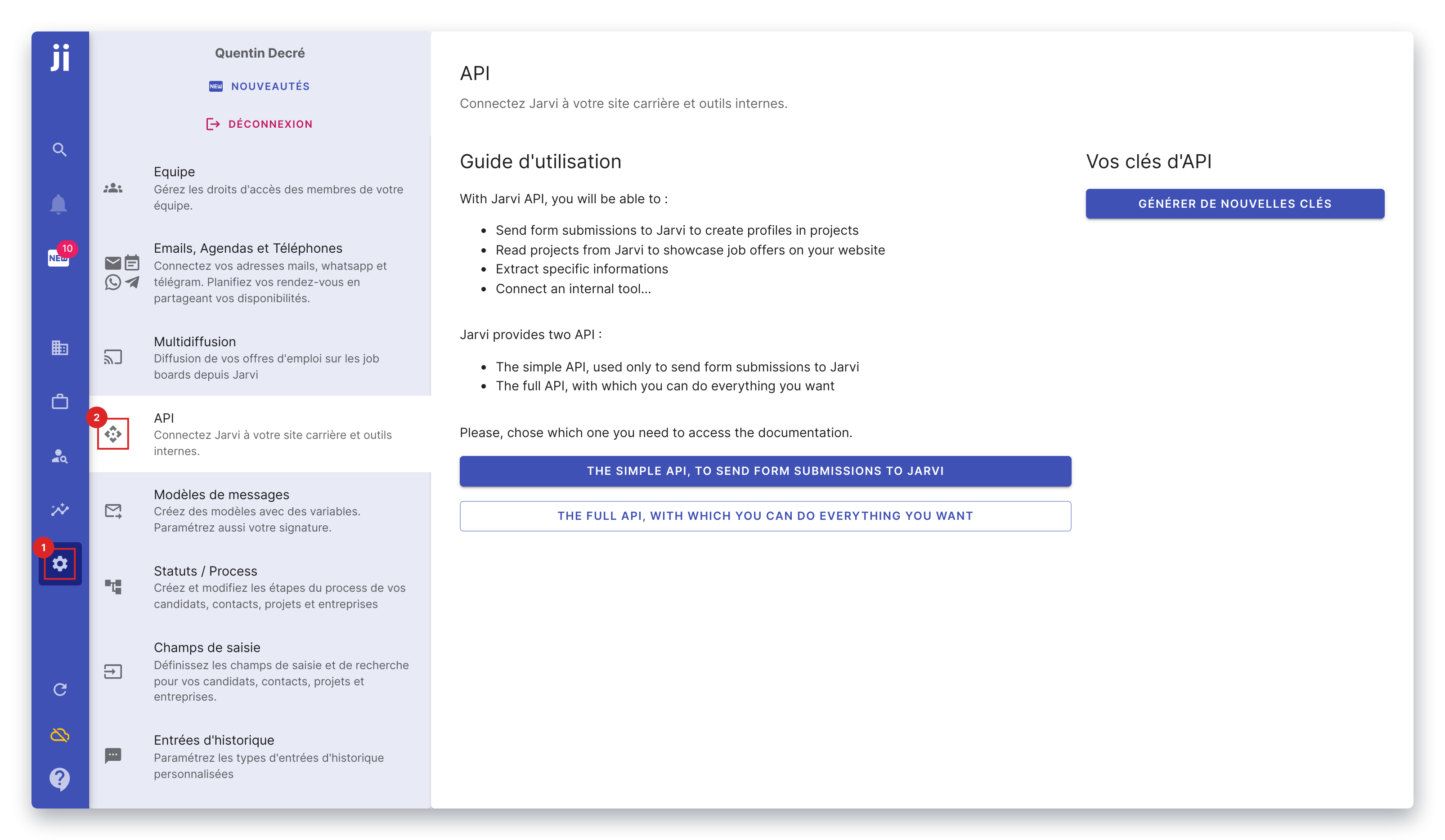 You will then get 2 keys:
* A **public key**, which only allows you to create new profiles and new applications.
* A **private key**, which allows you to do everything. This key will only be shown to you once, when it's created. So remember to save it in a safe place.
The private key should not be disclosed, nor present in javascript code accessible to the user.
You will then get 2 keys:
* A **public key**, which only allows you to create new profiles and new applications.
* A **private key**, which allows you to do everything. This key will only be shown to you once, when it's created. So remember to save it in a safe place.
The private key should not be disclosed, nor present in javascript code accessible to the user.